
Resolve the Kubernetes Cold Start Problem on AWS EKS Using a Warm Pool
 Aliaksei Kankou
Optimizing Kubernetes scalability with AWS Warm Pool: a practical solution to the cold start challenge. When Kubernetes clusters need to scale rapidly, new nodes often face initialization delays — pulling images, running startup scripts, joining the cluster. A Warm Pool sidesteps this entirely by keeping pre-initialized EC2 instances on standby.
Cold Start Problem
In the process of expanding nodes within a Kubernetes cluster, a challenge known as the Cold Start issue may arise. The term Cold Start refers to the delay experienced when new nodes are added to a Kubernetes cluster but take a significant amount of time to become fully operational. This delay is due to the time required for initialization processes, such as pulling container images, starting containers, and running startup scripts. This issue can affect the responsiveness and efficiency of the cluster, particularly in scenarios requiring rapid scaling.
Solutions to the Cold Start Issue
Several solutions can be considered to address the Cold Start issue in a Kubernetes cluster.
One approach is the use of a Golden Image — a pre-configured AMI that already includes all the necessary resources: pre-pulled container images, pre-installed software, and pre-configured settings. This ensures that when new nodes are added to the cluster, they are already equipped with the essential components required for immediate operation, reducing initialization time.
An alternative solution is the implementation of a Warm Pool: a set of pre-warmed nodes that are kept in a standby state. These nodes have already completed the initial startup processes, such as container image pulling and script execution. As a result, they can be rapidly integrated into the cluster when needed, significantly reducing the time to become operational. This approach is particularly effective in scenarios where quick scaling is crucial.
AWS Warm Pool
AWS offers a Warm Pool feature specifically designed to address the Cold Start issue in Kubernetes clusters. This approach significantly enhances scalability and responsiveness in cloud-based Kubernetes environments. The Warm Pool concept focuses on preparing a pool of nodes in a semi-initialized state, ready for rapid integration into the cluster as required.
Understanding the Warm Pool Mechanism
Pre-Initialization
- › The Warm Pool maintains a set of EC2 instances in a semi-initialized state. These nodes have already completed initial boot-up processes — pulling container images, executing startup scripts — positioning them close to deployment readiness.
Stopped and Hibernated States
- › Nodes in the Warm Pool are maintained in either stopped or hibernated states. A stopped instance is not actively running but retains its instance store data, reducing operational costs while keeping data intact.
- › The hibernated state extends this by saving the instance's in-memory data to the root EBS volume before stopping. This enables a quicker resumption, restoring both instance store data and in-memory state.
Rapid Integration
- › When the Kubernetes cluster needs to scale, nodes from the Warm Pool are quickly transitioned from stopped or hibernated states to active. This bypasses the usual initialization delays — the nodes only need to join the cluster — significantly reducing start-up time.
Cost-Effectiveness
- › Keeping instances in stopped or hibernated state is free of charge. This makes the Warm Pool a cost-effective way to have resources on standby without incurring the expenses of fully operational instances — balancing readiness for scaling with budget considerations.
Terraform Project for Deploying EKS with Warm Pool
The example project sets up a VPC, Security Groups, an EKS cluster, and various necessary addons — including coredns, kube-proxy, vpc-cni, eks-pod-identity-agent (optional), and a cluster autoscaler — all configured to work with a Warm Pool for fast node scaling.
GitHub Repository
The full Terraform source is available at github.com/kankou-aliaksei/terraform-eks-warm-pool .
Prerequisites
- – Terraform: Install from HashiCorp's Terraform Installation Guide.
- – AWS CLI: Install or update to the latest version following the AWS CLI User Guide.
- – AWS Credentials: Set up your AWS credentials for access.
- – kubectl: Install using the Kubernetes Official Guide.
- – git: Install using the Git Installation Guide.
Deploying an Example Application with Warm Pool on Kubernetes
Clone the Git repository
git clone https://github.com/kankou-aliaksei/terraform-eks-warm-pool.gitInitialize and Apply Terraform Configuration
cd terraform-eks-warm-pool/examples/warm_pool_and_eks
terraform init
terraform applyUpdate your kubeconfig to interact with the new EKS cluster
aws eks --region eu-central-1 update-kubeconfig --name warm-pool-eks-cluster
Verify your connection to the cluster
kubectl cluster-info
Verify Instance States
- › Wait until you see a worker node instance in stopped status. This confirms the node has completed script initialization and entered the Warm Pool, ready for rapid activation.
aws ec2 describe-instances \
  --filters "Name=tag:Name,Values=warm-pool-eks-cluster-ng" \
  --region eu-central-1 \
  --query "Reservations[*].Instances[*].[Tags[?Key=='Name'].Value|[0], InstanceId, State.Name]" \
  --output text
Deploy the Test Application
- › Navigate to the deployment folder relative to the base project folder before applying.
cd deployment
kubectl apply -f test-deployment.yamlMonitor the Deployment
- › You will see that pod launch occurs within 90 seconds — despite basic instance setup requiring 2 minutes — because all base configuration was completed during the warm-up period.
watch "kubectl get pods"
Destroy the Terraform Project
- › Once you have finished testing, destroy the project to avoid incurring additional charges. Ensure you are in the examples/warm_pool_and_eks directory before running this command.
terraform destroy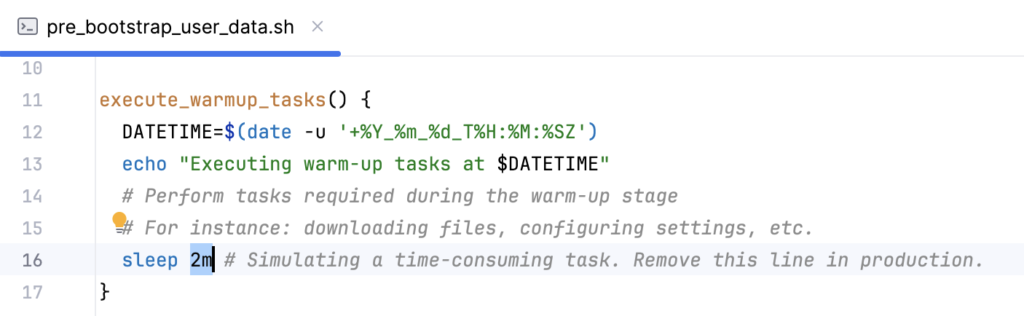
Conclusion
The AWS Warm Pool is a highly effective solution to the Kubernetes cold start problem on EKS. By keeping EC2 instances pre-initialized in a stopped or hibernated state — at no extra cost — you can scale your cluster in seconds rather than minutes. Combined with a Terraform-managed setup, this approach gives you reproducible, production-grade autoscaling infrastructure that responds instantly to demand spikes.
Aliaksei Kankou
Lead Full-Stack Engineer and Cloud Architect with a Bachelor's degree in Software Engineering and 15+ years of experience.